How to Customize Iconfont Icon in Hexo Fluid Theme
How to customize iconfont icon in Hexo fluid theme
 Jas0n0ss
What we do in this article?
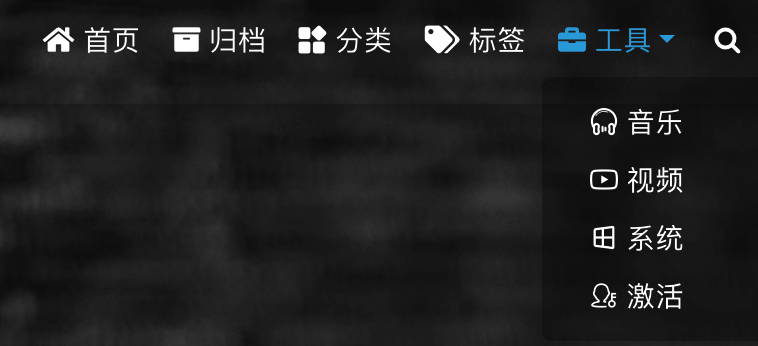
if you want to change the menu button ( Marked as red below the Picture ) as I did. This article is gonna help you to do that.

Use default icon
Please check fluid docs https://hexo.fluid-dev.com/docs/icon/
Customize icon
-
Search the icon from https://www.iconfont.cn/ and add to your own Inventory.
-
Download the entire inventory with source code:

-
Unzip the downloaded inventory and rename it, then copy to
hexo/themes/fluid/source/css# ls -l themes/fluid/source/css/custom_icon
total 64
-rw-r--r-- 1 jason 8429 2 7 17:16 demo.css
-rw-r--r-- 1 jason 15203 2 7 17:16 demo_index.html
-rw-r--r-- 1 jason 797 2 7 17:16 iconfont.css
-rw-r--r-- 1 jason 19634 2 7 17:16 iconfont.js
-rw-r--r-- 1 jason 1723 2 7 17:16 iconfont.json
-rw-r--r-- 1 jason 5080 2 7 17:16 iconfont.ttf -
Add
custom_css(which download from last step) to hexo configuration file which is_config.fluid.yml:# vim _config.fluid.yml
# The usage is the same as custom_js
custom_css:
- /css/custom_icon/iconfont.css # make sure the path is correct -
Open
demo_index.htmland Find theicon namefromdemo_index.htmljust like below: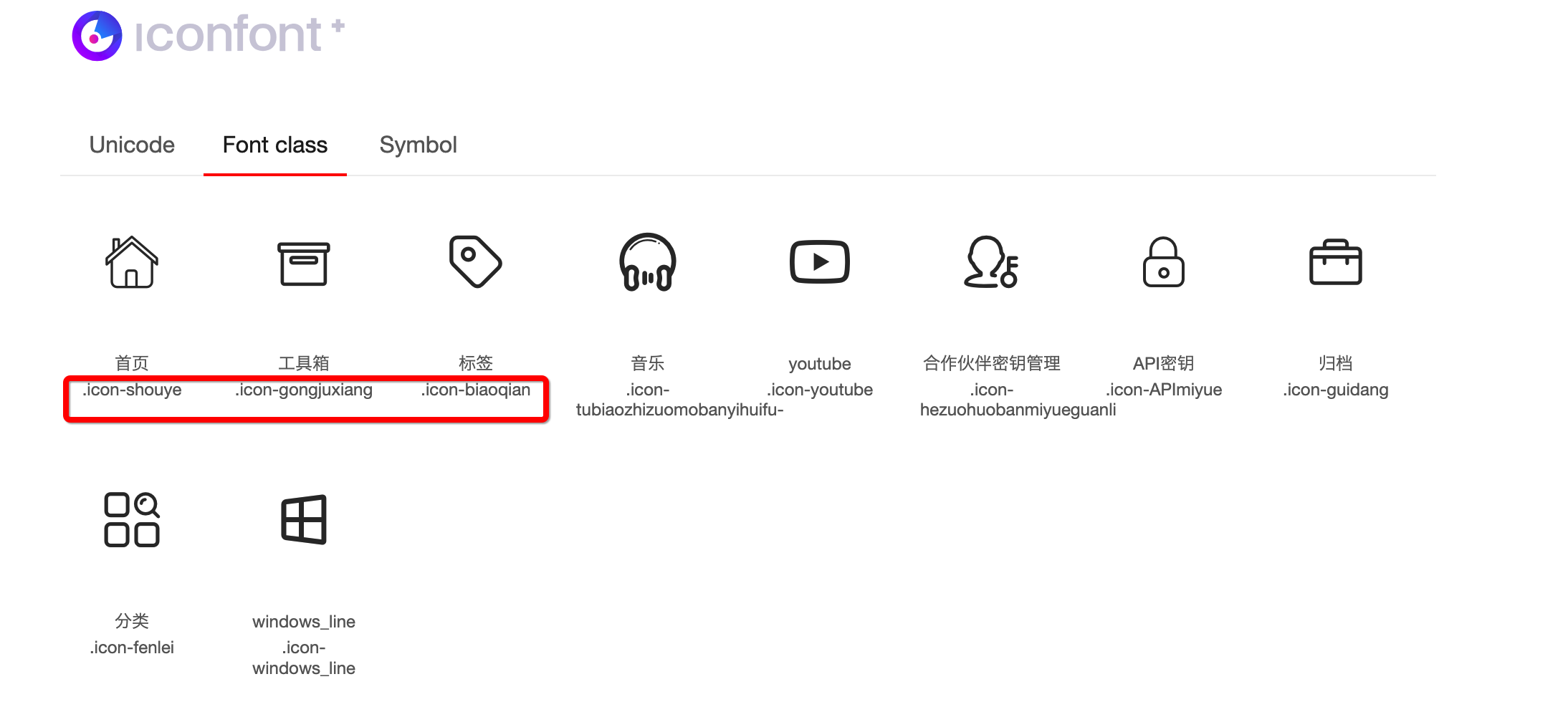
-
Add new
icon nameto hexo configuration file (_config.fluid.yml):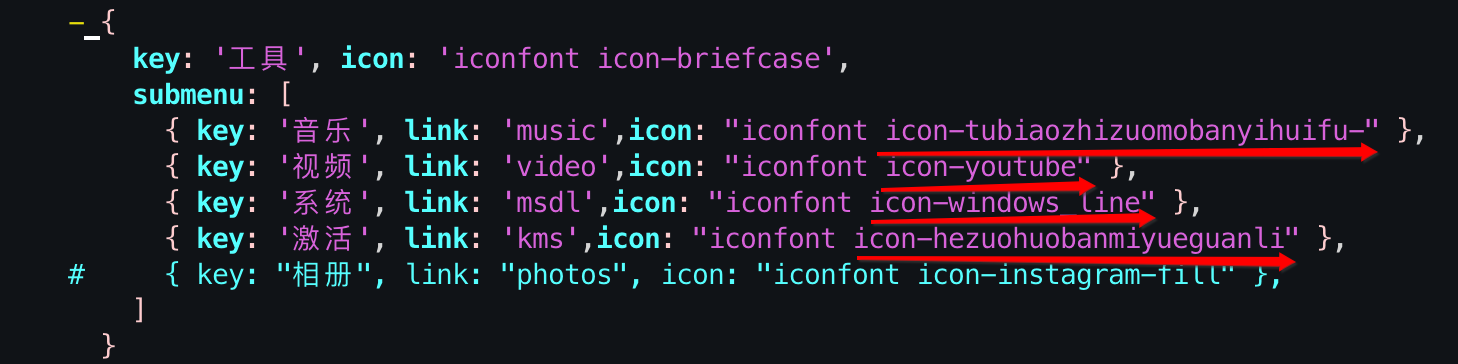
-
Save the changes and run
hexo g && hexo sto test.